What happens when AI gets its own computer and stops waiting for prompts
Close your laptop and almost every AI tool you use stops dead. Always-on bots get their own cloud computer, their own memory and their own triggers. How they're designed, and what that changes about handing work over.
Close your laptop lid and almost every AI tool you use stops dead.
It has no computer of its own. It can’t notice an urgent email arriving at 2am, and once you close the browser tab it has no memory of what you were trying to finish. It sits there until you open the window and type another prompt.
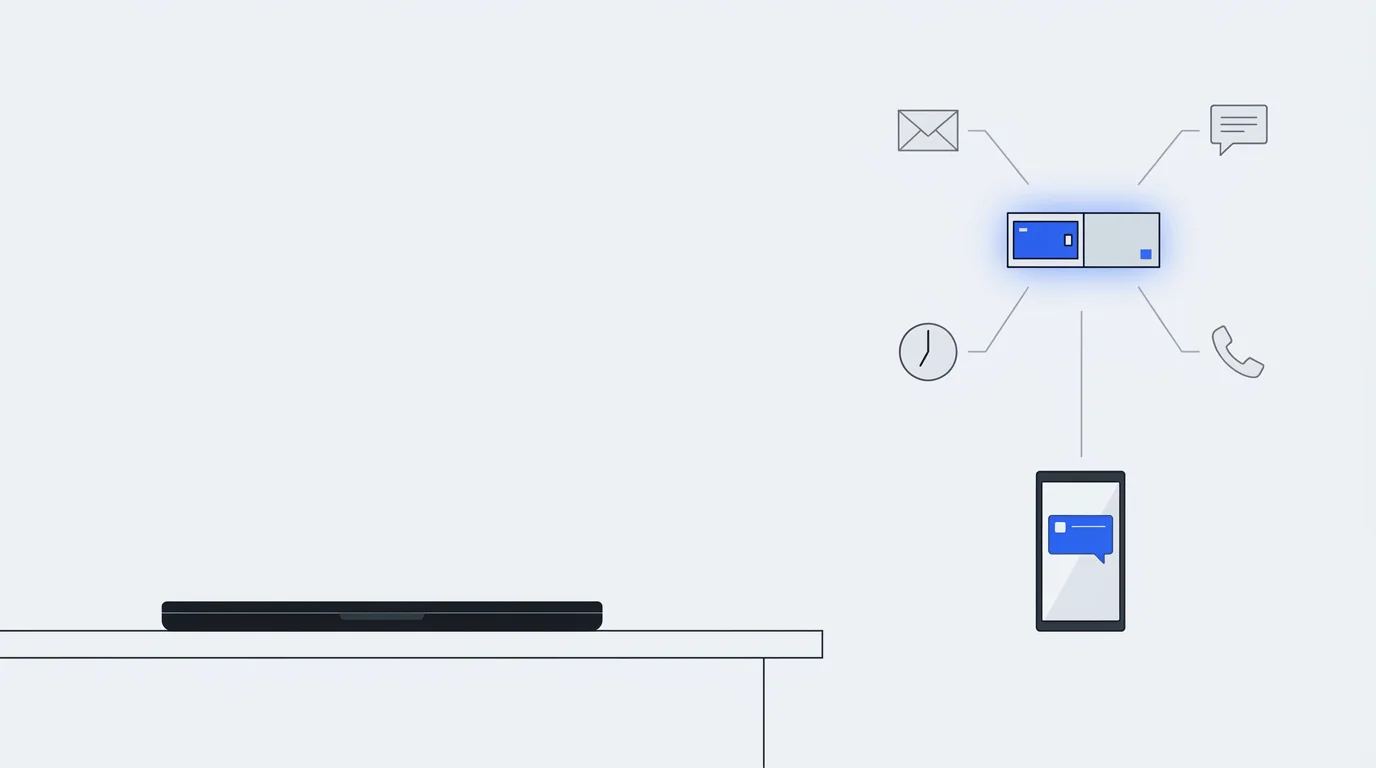
The next shift in how we work is the move to always-on digital colleagues, usually just called bots. A bot has its own computer in the cloud, remembers how you work, wakes up when something happens in the real world, and carries a project forward over days, weeks or months.
Look closely at how these bots are built and a few design choices stand out, because each one says something about how work changes once the AI stops waiting for you.
4 eras of working with AI
Our relationship with AI at work has moved through 4 stages in a couple of years:
- Copy and paste. You asked a web chat for help, copied the answer and pasted it into your own document.
- Local action. The AI could edit files and run tasks on your computer while you watched.
- Parallel helpers. People started running 4 or 5 agents at once in dedicated apps.
- Always-on bots. The agent moves to the cloud for good, with its own computer and long-term memory, and works in the background.
Stage 3 set a trap. With 5 agents running, the human became a full-time babysitter, spending the afternoon clicking “allow” on hundreds of permission pop-ups.
3 everyday habits change at stage 4.
You steer it mid-task. With a normal chatbot, if you change your mind while it’s working, you either hit stop and lose the progress or wait for it to finish the wrong thing. An always-on bot takes a follow-up while it works (“check this thread, actually move that to Thursday”) and adjusts its plan. The software around the model does that part. It stops the run, slips your correction into the conversation and lets the model carry on.
AI checks AI. Ask a person to approve 200 actions in an afternoon and they stop reading somewhere around number 30. I’d rather have a separate model review every routine action before it runs, because it reads number 200 as carefully as number 1, and keep people for the decisions that can’t be undone.
Texting becomes the interface. Software companies spent the last 2 years cramming sidebars, sliders and agent dashboards into their products. Once a bot can actually do the work, the interface shrinks back to a text message, the same one you’d send a colleague to hand off a 3-hour job.
Sending your bot to a meeting
An always-on bot wakes up from Slack pings, incoming emails, phone calls, scheduled routines (a 7am check every weekday, say) and live meetings. If you’re double-booked, you can send it to the meeting you can’t make and have it report back.
Once a bot can wake up from anything, the hard design problem is teaching it when to keep quiet.
Chatbots are trained to answer every input. Say “thanks” and you get a paragraph back. A bot that pinged your phone every time it read an email or finished a small step would be unbearable within a day.
So every incoming signal goes through a filter with 3 rules:
- Stay silent on routine work. The bot finishes background jobs without a word and batches low-priority updates into one daily summary.
- The owner goes first. A direct message from you jumps to the front of the queue and interrupts whatever the bot is doing.
- Batch the chatter. Group chats, noisy Slack threads and scheduled routines wait at the back. If someone sends 4 texts in a row, the bot waits a beat and reads them as one turn.
A cloud computer that sleeps
Giving every employee’s bot a computer that runs 24 hours a day would cost a fortune.
In practice, “always-on” works like your phone screen. When there’s no work, the bot’s brain and its cloud computer both go to sleep. When an email or a routine arrives, the bot wakes in a fraction of a second, decides whether the task needs a computer at all, switches one on only if it does, and puts everything back to sleep when the work is done.
Having its own computer gives the bot 3 practical abilities:
- Software with no integration. Plenty of older websites and corporate portals have no API. A bot with its own screen and browser can open those sites, read the page and click the buttons like a person would.
- Live takeover. When the bot hits a login screen or a CAPTCHA it can’t get past, you open a live view of its screen on your phone, take the mouse and keyboard for 10 seconds, and hand it back.
- A bookmark after every step. If the server crashes while the bot is on step 3 of 5, a clumsy system starts again from step 1 and risks paying the same invoice or sending the same email twice. A well-built bot records each step the moment it finishes, so it resumes at step 4.
The bot’s brain also lives apart from its computer. If the security team needs to wipe and rebuild the machine for an urgent patch, the bot pauses for a second and carries on on the fresh machine without losing its place.
One channel back to you, and a 6-step ladder
How does one bot work across your phone, your laptop, email and Slack without turning into a mess?
It talks to you through a single channel. Whenever it needs to show you something, it sends a message down that one pipe, and your phone or laptop draws it as the right kind of card:
- a password prompt connected to your password manager (1Password, say)
- a one-tap payment confirmation
- an editable draft, so you can tweak an email before the bot sends it
- an emoji reaction to your message when a full reply isn’t needed
Before it bothers you at all, a good bot works down a 6-step ladder, cheapest and most reliable first:
- Memory. Answer from the current conversation and what it already knows about you.
- Connected apps. Pull clean numbers from a connected tool, like a bank balance through a secure feed.
- Web search. Look up public information, like last night’s football scores.
- A cloud browser. Open a browser on its own computer to use a website that has no connection. Even here it reads the page’s text structure first, and only falls back to screenshots when a stubborn pop-up gets in the way.
- Full computer work. Write and run its own programs to crunch data or build files.
- Ask you. Only when every automated option has run out does it tap you on the shoulder, for a 2FA code, a CAPTCHA or sign-off on something that can’t be undone.
Keeping its head clear (and tidying up while you’re at lunch)
Anyone who’s had a very long conversation with an AI has watched it get slower, more expensive and more forgetful as the chat drags on. Always-on bots deal with this in 3 ways.
They carry only the table of contents. Connect a bot to 50 company tools (email, calendar, drive, accounting, chat) and loading the full manual for all 50 before you’ve said hello wastes a lot of memory. The bot carries just the names of its tools, and opens a manual when it decides it needs that tool.
One manager, many helpers. The main bot stays a lightweight coordinator with a to-do list. When a job needs 40 steps or a pile of long documents, it hands the job to a fresh helper bot working in a separate room. Only the helper’s final answer comes back, so its trial and error never clutters the main bot’s memory.
It tidies the desk while you’re away. Every time you send a message, the AI re-reads the conversation so far. To keep that fast and cheap, AI providers hold recent conversations in a discounted short-term cache, for anything from a few minutes to an hour depending on the provider and the setting.
The bot starts warming that cache the moment it sees you typing, before you press send. And if the conversation has grown huge and you step away for 30 minutes, the bot uses the time. While the cache is still warm and cheap to read, it summarises and compacts the conversation, so it’s quick again when you sit back down.
As it compacts, it sorts what it knows into 4 layers of memory:
- Core facts about you. The preferences it keeps in mind on every turn (“all lowercase, no long introductions”), cleaned out regularly so stale facts go.
- A dated work diary. Summaries of past sessions and finished projects, in order.
- A scratchpad. Notes for the job in hand, thrown away when the task finishes.
- A filing cabinet. Full documents and past records saved as plain files on its computer, searched when a detailed question comes up.
Delete the product
A team building one of these bots needs 2 feedback loops. Every day, each task the bot stumbles on in real use becomes an automated test, fixed before tomorrow. And if the team also trains its own model, those lessons go into the next version. That’s where skills like sharing a group chat with other bots, without talking over them, come from.
Above both loops sits a rule that sounds backwards: delete the product.
Assume today’s models are the worst you’ll ever use. If a team builds a maze of rigid rules and workarounds to cover what the model can’t do today, a smarter model arrives in 6 months and all that engineering becomes a cage. Build the lightest wrapper you can, so you can delete the old workarounds every time a better model lands.
2 open questions
Testing a month-long job. Bots are moving towards projects that run on their own for weeks or a whole month. If a task takes a month to run and a new model can arrive before it finishes, how do you test whether your bot is any good?
What every software product turns into. Around 2005, most business applications settled on the same recipe: a database, a server, and screens full of forms for people to click. I think every software product now faces a similar fork. Either it builds in these always-on parts (its own cloud workspace, layered memory, skills, identity, payments and safety checks), or it becomes a back-office data source that somebody else’s bot operates.