Headless tools: let an LLM act in the user's browser
When you give a model a tool, the body of that tool runs where your code runs: on the server. That’s fine for a database read or an HTTP call. It’s no use at all for the things a user actually carries around, their location, their clipboard, the data sitting in their browser’s IndexedDB. The best a server can do for location is a coarse IP lookup; the clipboard and IndexedDB it can’t see at all.
A headless tool splits the tool in 2. The schema, the name and arguments the model reasons about, is declared to Gemini on the server. The body runs in the browser.
The server drives the model loop, and every time the model calls a tool it forwards the call to the browser, which executes it locally and hands back plain JSON. The model never finds out where the work happened.
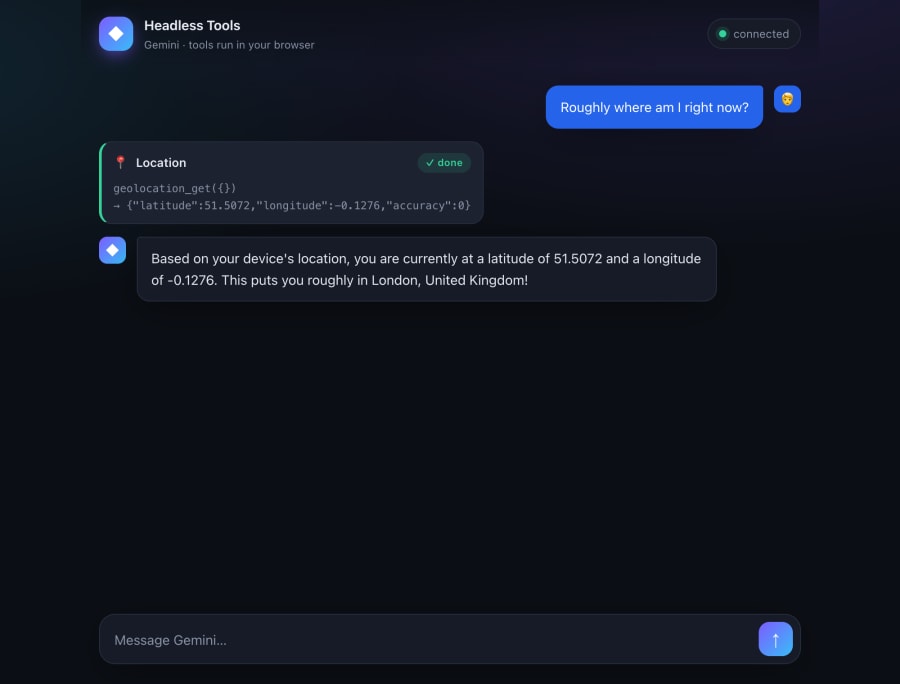
That screenshot is the whole idea in one turn. The model asked for geolocation_get. The browser ran navigator.geolocation, returned coordinates, and the model wrote the answer. The server in the middle never had access to the location.
What you need it for
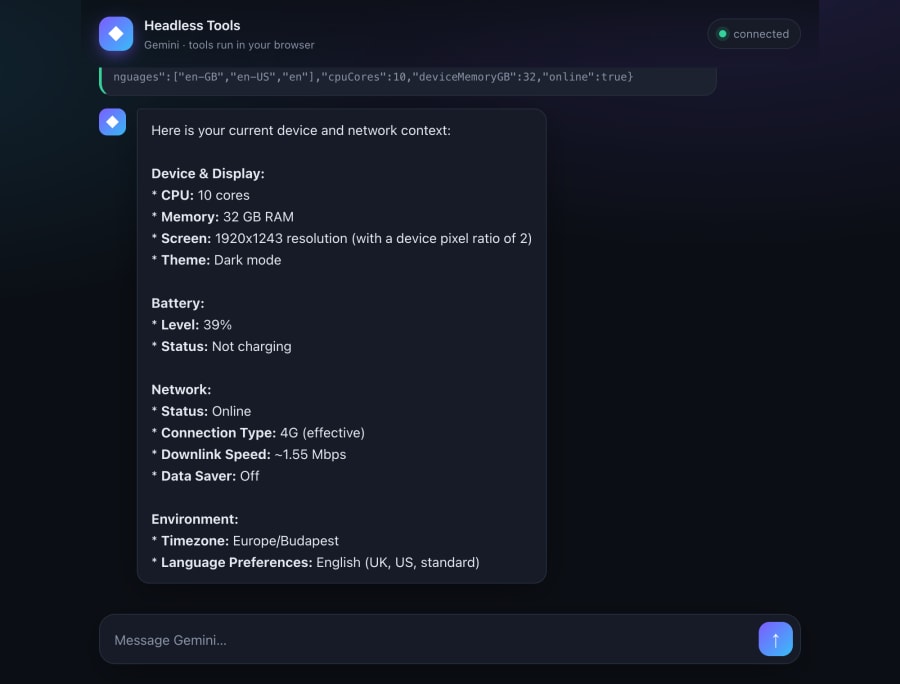
Once the body runs in the browser, the model can get to anything the page can. It reads a real geolocation fix, with the browser’s own permission prompt in front of it. IndexedDB gives it memory, so a fact the user hands over survives a reload. And it can read the clipboard or copy onto it, check the battery and the network, or read an answer out loud.
The usual browser rules still apply: a clipboard read needs the page focused (and in Safari, a user gesture), and the battery and network APIs only exist in Chromium browsers.
And the key never moves. The model client stays on the server, so the browser only ever talks to your server, never to Gemini. Nothing about the key ends up in the bundle.
Three parts
The whole thing is 3 pieces, and most of the design work went into deciding where to make the cut.
- A shared tool definition. One file, imported by both sides, so names and schemas can’t drift apart.
- A server loop. It runs
generateContent, spots the tool calls, forwards each to the browser, feeds the result back, and repeats until the model returns text. - A browser dispatcher. It takes a call, runs the matching implementation, and returns JSON.
One definition, both sides
The schema is the contract the model reasons about, and the same names have to line up in the browser code that runs the tool. So it lives once. Define each tool with Zod and derive the JSON schema Gemini wants from it:
export const toolSchemas = {
  geolocation_get: {
    description: "Get the user's current location from the browser.",
    schema: z.object({ save: z.boolean().optional() }),
  },
  memory_put: {
    description: "Store a value in the user's browser memory.",
    schema: z.object({ key: z.string(), value: z.unknown() }),
  },
  // …memory_get, clipboard, device_context, speak
} as const;

export const functionDeclarations = Object.entries(toolSchemas).map(
  ([name, def]) => ({
    name,
    description: def.description,
    parametersJsonSchema: stripSchemaKeywords(zodToJsonSchema(def.schema)),
  }),
);
The server imports functionDeclarations to tell Gemini what exists. The browser imports the same object to type its implementations. Add a tool in one place and both ends see it.
The loop
Manual function calling, on purpose. Schema-only declarations give the SDK nothing to run, so it can’t auto-execute; automaticFunctionCalling: { disable: true } says so out loud. Each turn sends the full history, because the Gemini API is stateless and remembers nothing between calls:
while (true) {
  const res = await ai.models.generateContent({
    model: config.model, // gemini-3.1-pro-preview
    contents,
    config: { tools, automaticFunctionCalling: { disable: true } },
  });

  // Push the model's turn verbatim; it carries the ids and thought signatures the API checks.
  contents.push(res.candidates![0].content);

  const calls = res.functionCalls ?? [];
  if (calls.length === 0) return res.text ?? "";

  const parts = await Promise.all(
    calls.map(async (call) => {
      const result = await callBrowser(socket, call); // ← runs in the browser
      return { functionResponse: { id: call.id, name: call.name, response: { result } } };
    }),
  );
  contents.push({ role: "user", parts });
}
2 details matter here. Gemini 3 stamps every call with a unique id, and it signs its reasoning with thought signatures that have to come back in the history exactly as they arrived; leave either out and the API rejects the request. Pushing the model’s own content object, rather than rebuilding the parts by hand, carries both through for free.
Pause and resume is just a promise
A framework would call this a checkpoint: stop the run, do something elsewhere, resume. Here it’s an awaited promise. callBrowser sends the call down the socket and returns a promise; the browser’s reply resolves it. The server keeps a map of the calls it’s waiting on, keyed by id:
export function callBrowser(socket, call) {
  const pending = pendingFor(socket);
  return new Promise((resolve, reject) => {
    AbortSignal.timeout(config.toolTimeoutMs).addEventListener(
      "abort",
      () => {
        if (pending.delete(call.id)) reject(new Error(`${call.id} timed out`));
      },
      { once: true },
    );
    pending.set(call.id, { resolve, reject });
    send(socket, { type: "tool_call", ...call });
  });
}

// When the browser posts a result back:
export function settle(socket, id, outcome) {
  const p = pendingFor(socket).get(id);
  if (!p) return;
  pendingFor(socket).delete(id);
  "result" in outcome ? p.resolve(outcome.result) : p.reject(new Error(outcome.error));
}
The timeout matters. If the user closes the tab mid-call, the socket drops, the pending promises reject, and the loop hands the model an error instead of hanging on a reply that will never come.
AbortSignal.timeout strips the timer bookkeeping out: settling a call deletes it from the map, so a late abort finds nothing to reject, and there’s no handle to store or clear.
The browser end
The dispatcher matches the call name to an implementation and posts the result back. The implementations are the real browser code:
export const impls = {
  async geolocation_get({ save = true }) {
    const pos = await new Promise<GeolocationPosition>((res, rej) =>
      navigator.geolocation.getCurrentPosition(res, rej),
    );
    const loc = { latitude: pos.coords.latitude, longitude: pos.coords.longitude };
    if (save) await saveToIndexedDB("user_location", loc);
    return loc;
  },
  async memory_get({ key }) {
    const value = await getFromIndexedDB(key);
    return value == null ? { found: false } : { found: true, value };
  },
};
The only rule for an implementation: return JSON. The result travels back over the socket, so no DOM nodes, no file handles, nothing that can’t be serialised.
Watch one call go round
Here’s the full round-trip for that “where am I?” turn. Step through it and watch where the work lands.
- →
user_message· "roughly where am I?" - →
generateContent· history + tool schemas - ←
functionCall·geolocation_get#c1 - ←
tool_call· forwarded over the socket #c1 - ↻
navigator.geolocation.getCurrentPosition()runs here - →
tool_result·{ lat, lng }#c1 - →
functionResponse· same id #c1 - ←final text · "you're roughly in London"
- ←
assistant_message· rendered in the chat
One user turn, nine hops. Step through it.
Step 5 is the whole trick. The model asked for a tool and got a result, and as far as it’s concerned the result came from the server it’s talking to. It has no idea a browser ran navigator.geolocation 2 hops away.
The socket is the session
One WebSocket per browser, and that socket is the session. The server pushes a tool_call to the browser mid-turn and waits for a reply, so plain request/response is out. Server-sent events could carry the push, but a socket gives you both directions on one connection.
That also keeps the bookkeeping simple. The pending-calls map is keyed off the socket, so each connection owns its own in-flight calls and its own history. There’s no session id threaded through the code, and a dropped connection cleans up only its own work.
Drive it from a few small, sharply typed tools rather than one “run any browser code” tool. The model picks geolocation_get or clipboard_write by name, you can show each call’s state in the UI as it runs, and for anything you wouldn’t want firing unattended you can put an approval step in front of the implementation.
What you end up with
A model that can act on the user’s device without ever reaching it directly. The schema is declared once and shared, so the 2 ends can’t fall out of step. The loop is a plain while with manual function calling.
The pause-and-resume a framework sells you is an awaited promise resolved when a socket message arrives. And the API key stays on the server, because the browser only ever talks to your server.
None of it needs an agent framework. It’s @google/genai, a WebSocket, and the browser APIs you already have.